(FAMILY) GOSSIPS
Enola Heintjes
What is it about?
Within my web extension, you are able to read more than 80 gossips of my family. By being able to read them as comments on every post on Instagram and Facebook, these social media accounts start to become our own gossip pages.
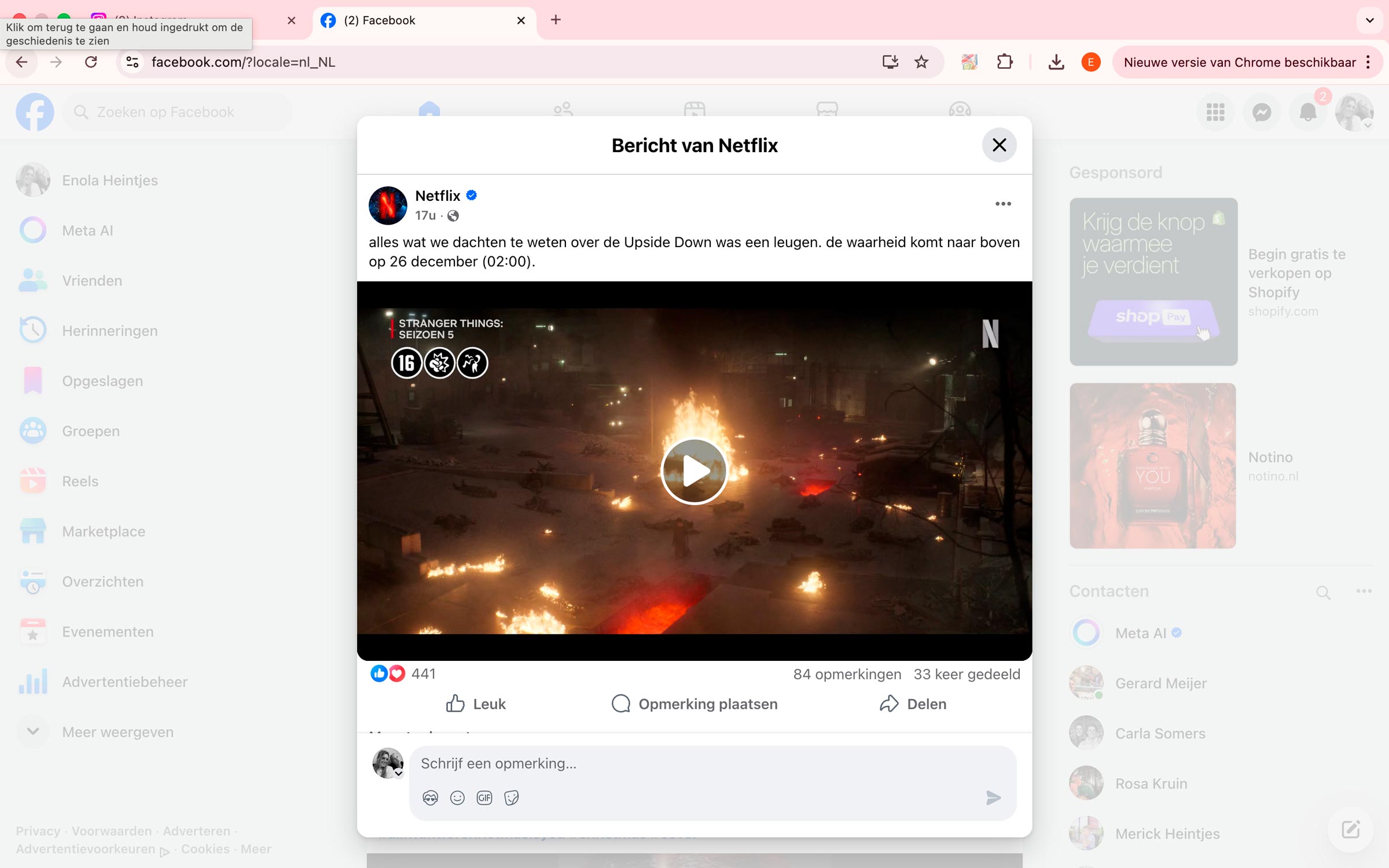
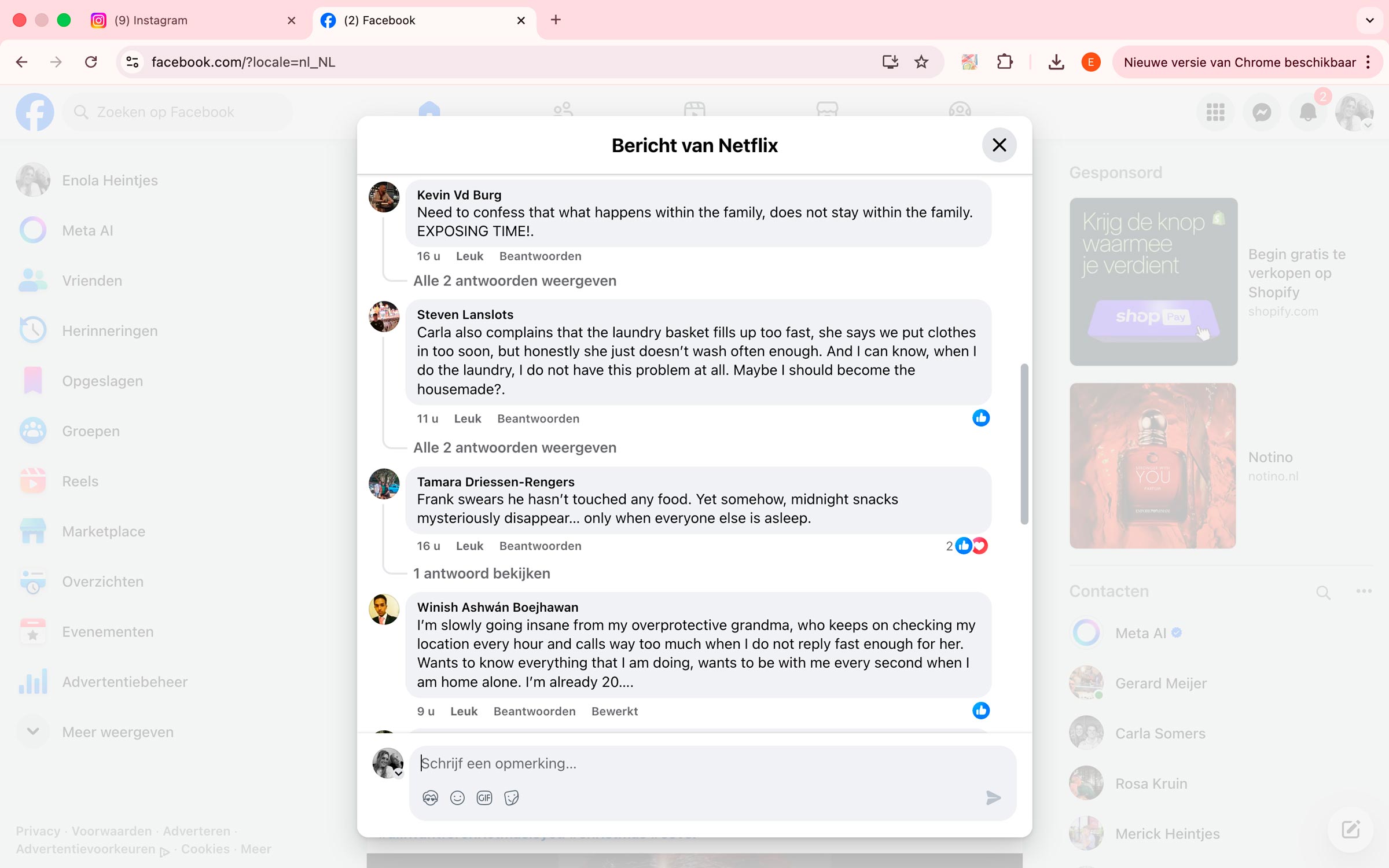
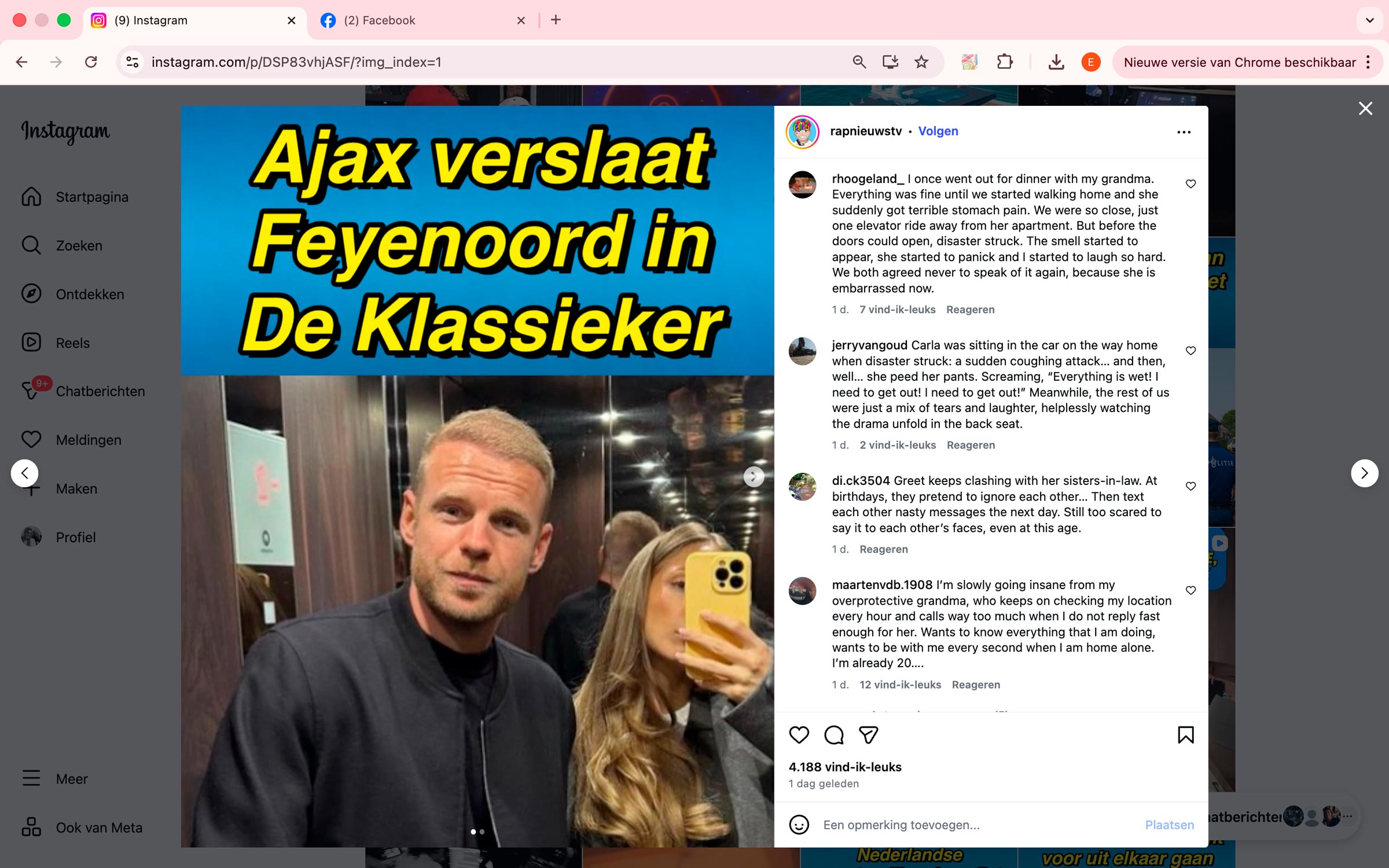
So cool! Nice to see it come as a surpsise when you start to read the comments. ⭐⭐⭐⭐⭐
user 1
Love how its kind of hidden, everything looks normal until reading the comments. ⭐⭐⭐⭐⭐
user 2
Love it, such a creative idea, it blends in really well with the original websites!! ⭐⭐⭐⭐⭐
user 3
Installation guide
- Click on the "Download" button on this webpage.
- Open the zip. file, the name will be: family-gossips.
- Go to your Chrome extensions and choose load unpacked extension.
- Now, load in the family-gossips file and you are ready to use.
- Open up Instagram and/or Facebook and go to the comments of posts.
- Now, you are able to read all the family gossips as comments under every posts.